Delete your user account
Want to permanently delete your VREEDA user account? You can do this at any time directly in the app — or alternatively request it by email.
Option 1: In the VREEDA Lighting App
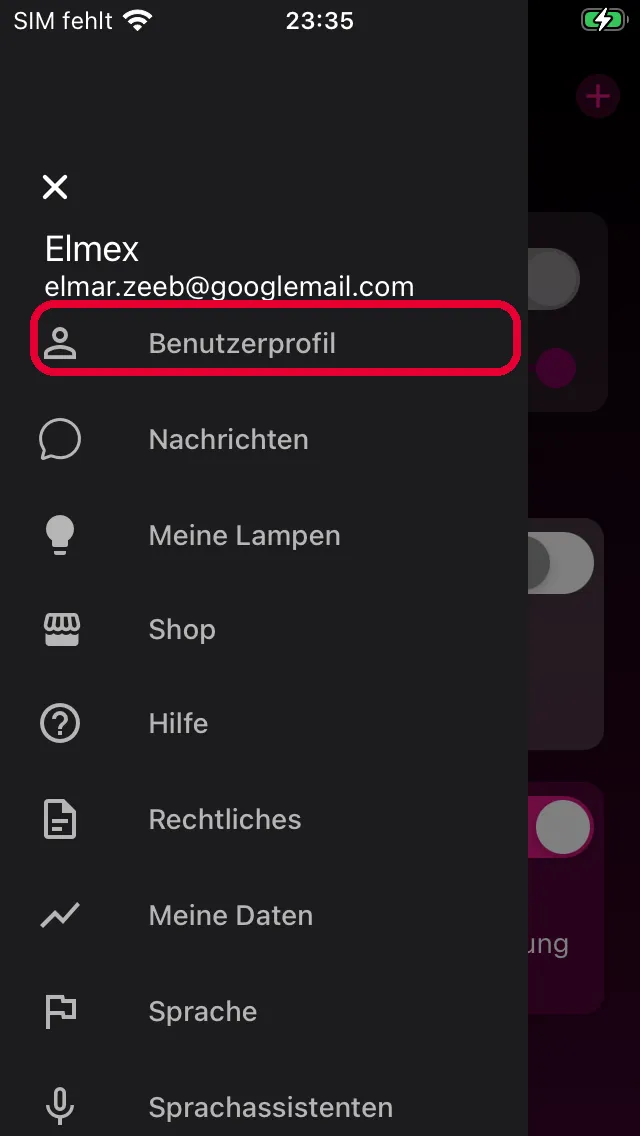
1. Open your user profile
Open the VREEDA Lighting App and tap the Menu (three lines) in the top left. Then select User Profile.
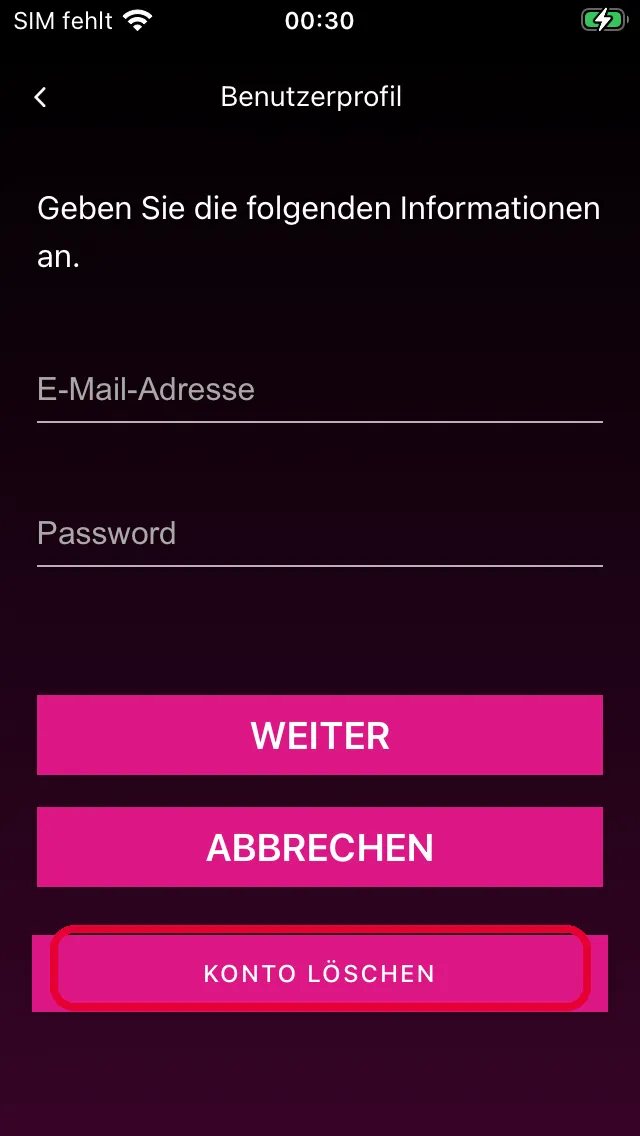
2. Tap Delete Account
In your user profile, you’ll be asked to enter your email address and password to confirm. Then tap DELETE ACCOUNT at the very bottom.
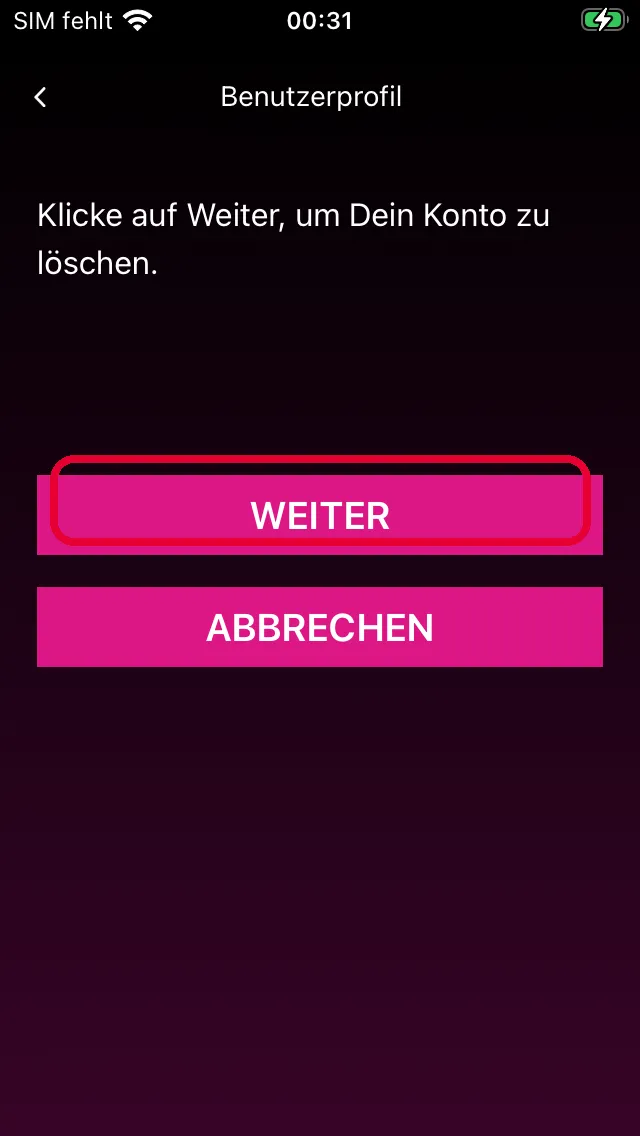
3. Confirm deletion
The app will show you one final confirmation: “Click Continue to delete your account.” Tap CONTINUE to permanently trigger the deletion. Tap CANCEL to go back without anything happening.
4. Done
After confirming, the app shows you an information screen about the deletion process. You can then log out of the app and uninstall it from your smartphone. All your data will then be removed.
Option 2: By email
You can also have your account deleted by sending us an email (see the support section at the bottom of this page for the address) — from the email address associated with your user account. We’ll confirm receipt and carry out the deletion promptly.
What happens when you delete your account
Deleting your account will permanently remove:
- all device settings and configurations,
- your user data,
- all activated services and their history.
If you want to create a new user account later, you’ll need to re-add all your devices and set up all your settings from scratch.
Still have questions?
We're happy to help — create a support ticket or send us an email.